iPad Altitude Selector and Pickers (3.5.1 Beta)
Last updated 2026-09-29
Captured 2026-09-28 from a 3.5.1 beta build on the iPad Pro 13-inch simulator, on the Arnsberg-Menden (EDLA) level.
3.5.1 fixes the altitude selector on iPad and moves the command pickers to the side of the screen, so the radar stays in view while you choose. Each image puts 3.5.0 on the left and the 3.5.1 beta on the right. iPhone layouts do not change.
The altitude tape now follows your finger. In 3.5.0 each small movement of a drag was added on top of an altitude that had already moved, so a short drag could run away by thousands of feet. The wind also stays on screen on iPad now, at the top right.
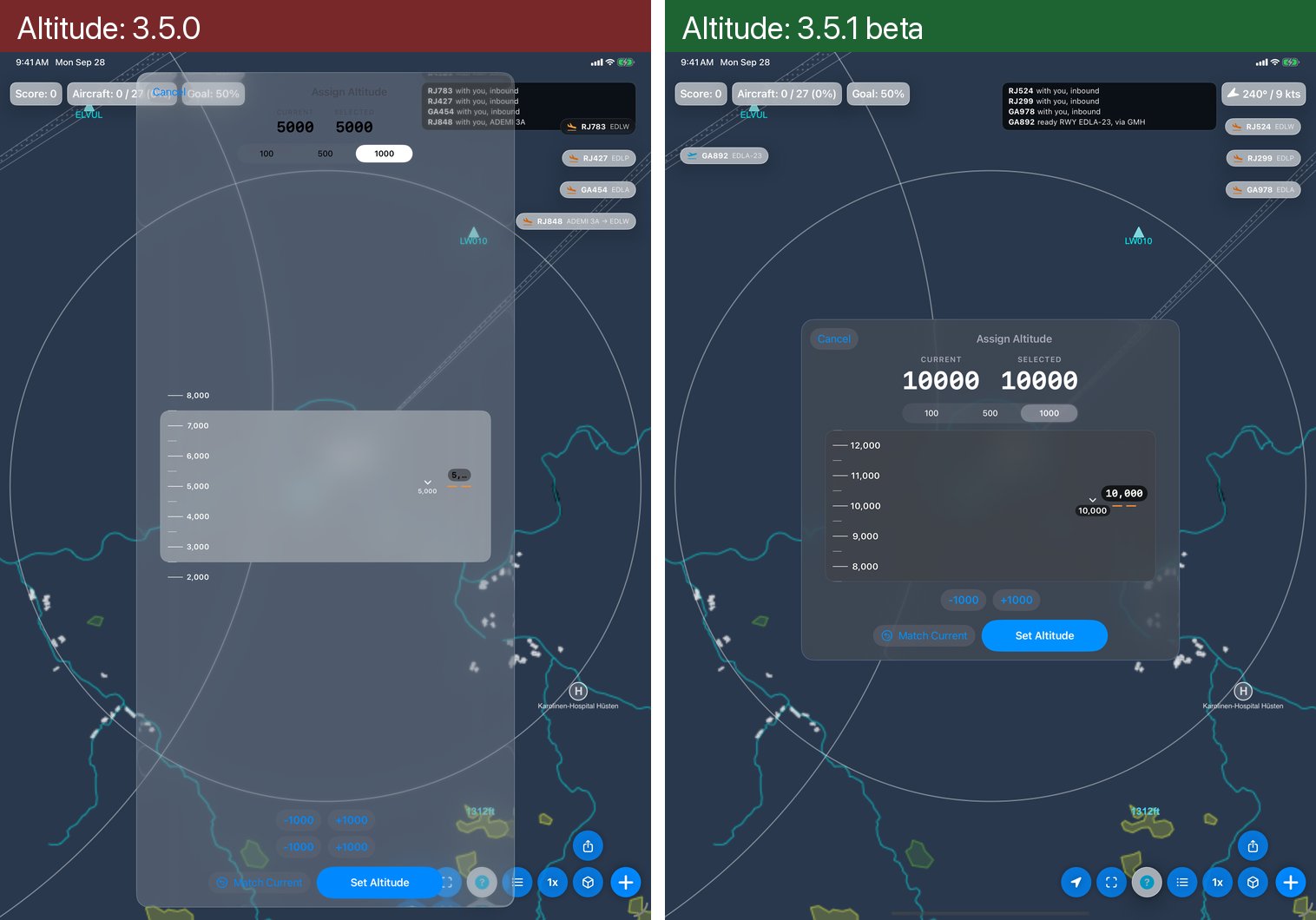
Altitude selector. In 3.5.0 the panel ran the height of the screen, its title and buttons were hard to read, the tape's numbers spilled past its edges, the selected altitude was cut off and the ±1000 buttons came twice. In 3.5.1 the panel fits its content and reads clearly, the numbers stay on the tape, the selected altitude shows in full and there is one row of ±1000 buttons.
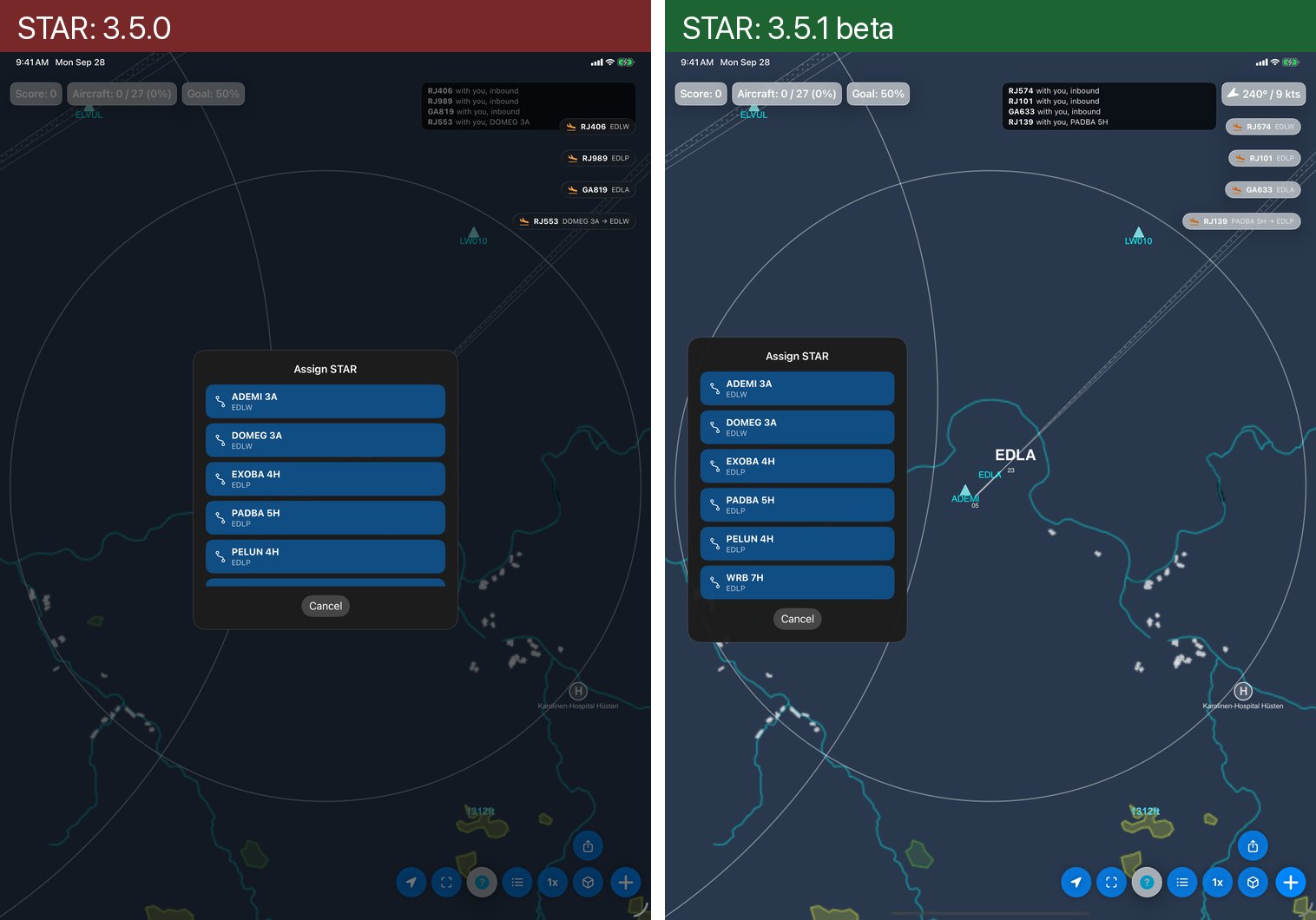
STAR picker. In 3.5.0 it opened in the middle of the radar, dimmed everything behind it and cut its list short. In 3.5.1 it opens at the left edge, shows the whole list and leaves the radar in view.
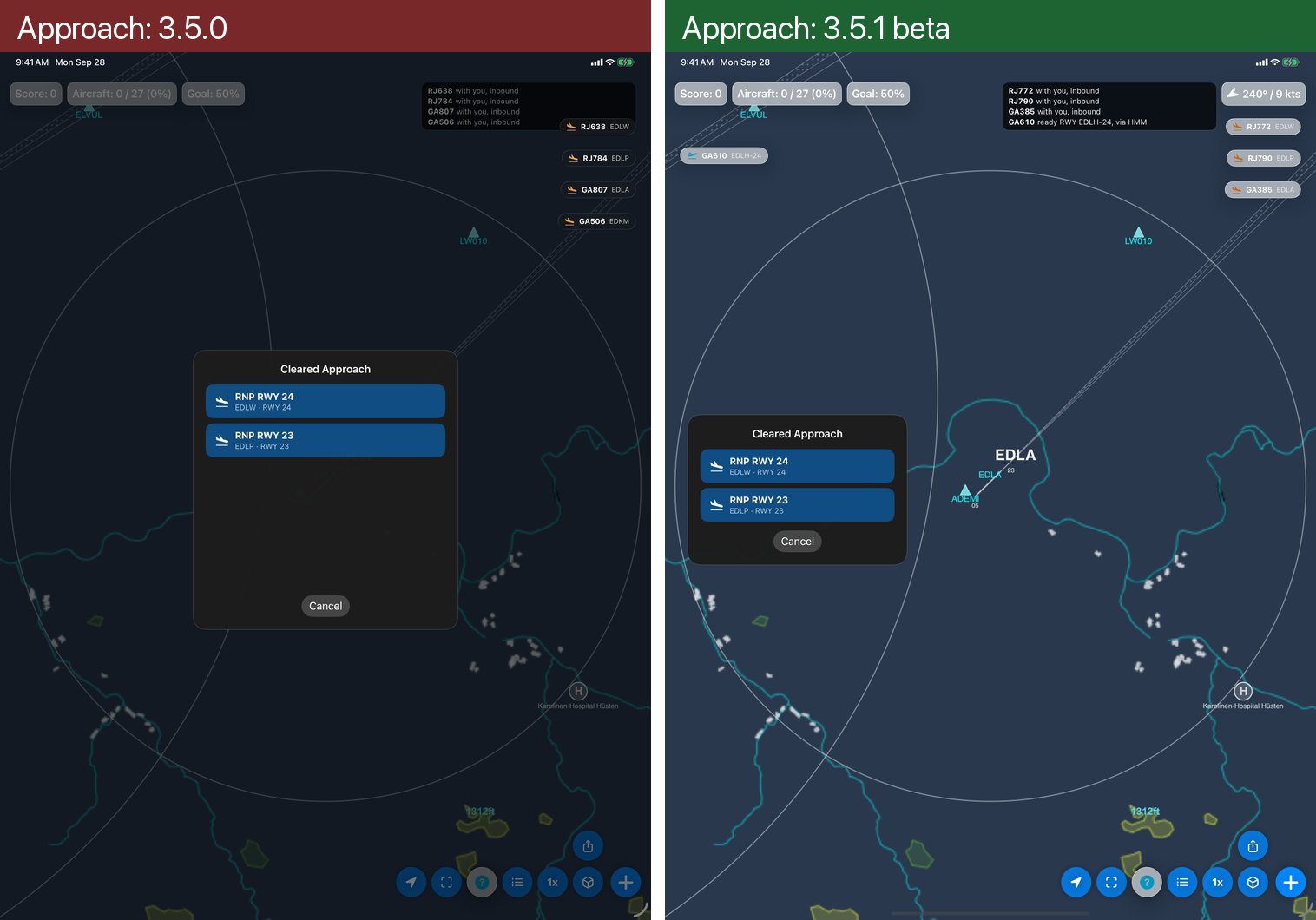
Approach picker. In 3.5.0 it was a tall, mostly empty card in the middle of the radar. In 3.5.1 it sits at the left edge and is only as tall as its approaches.
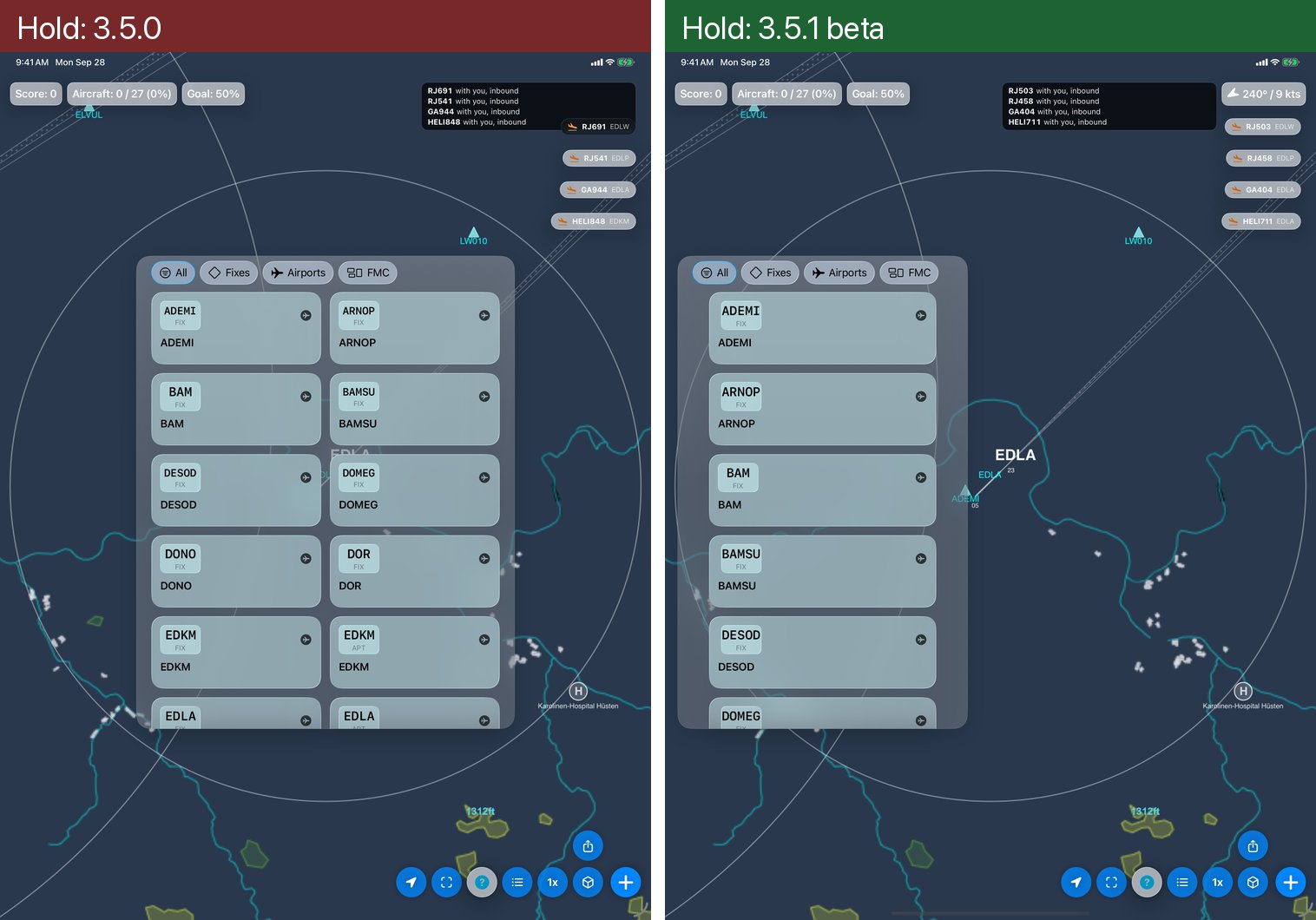
Hold picker. In 3.5.0 a wide two-column grid covered the middle of the radar. In 3.5.1 it is one column at the left edge, so the fixes and traffic behind it stay visible.
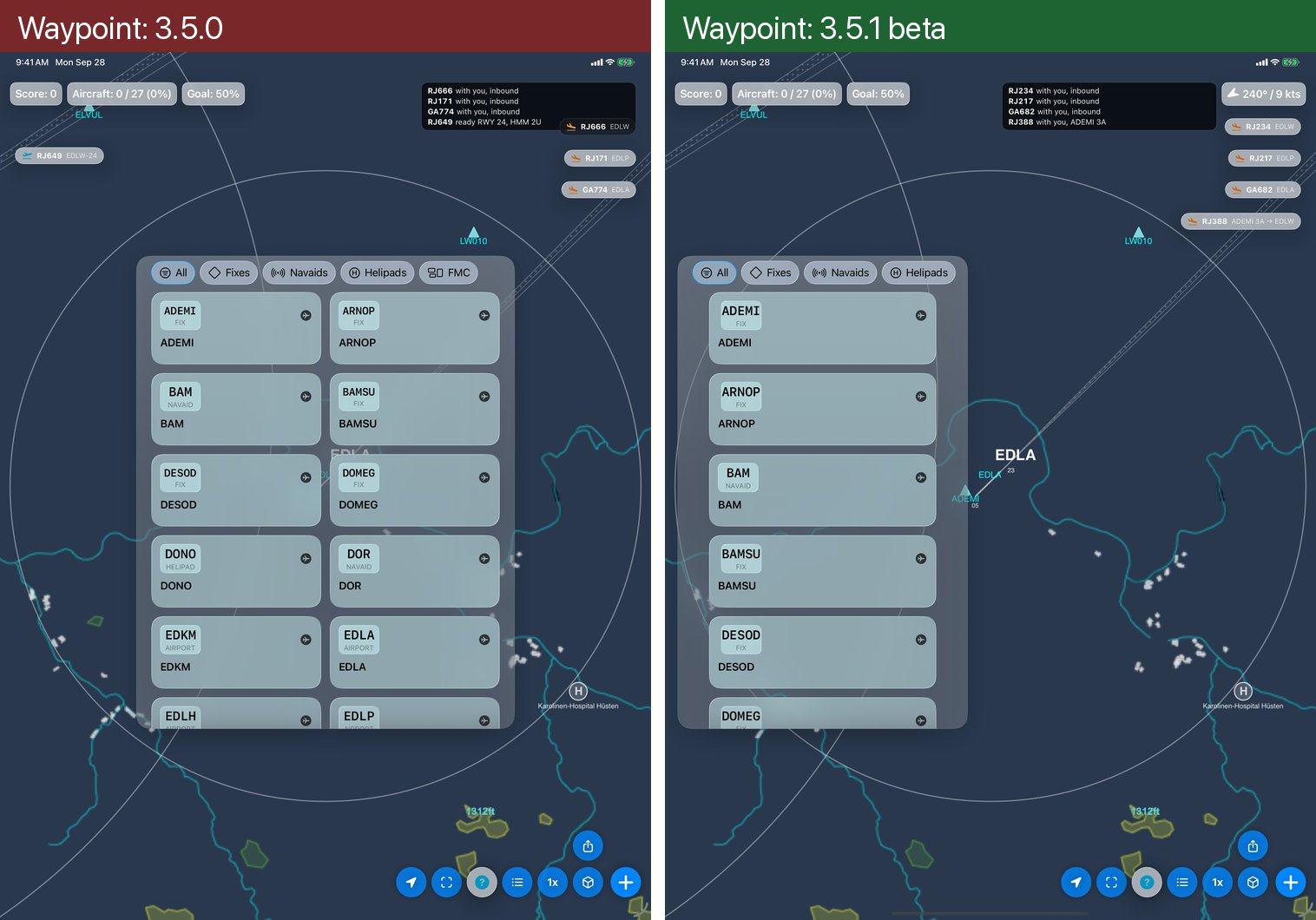
Waypoint picker. The same change: one column at the left edge, where 3.5.0 put a two-column grid in the middle.
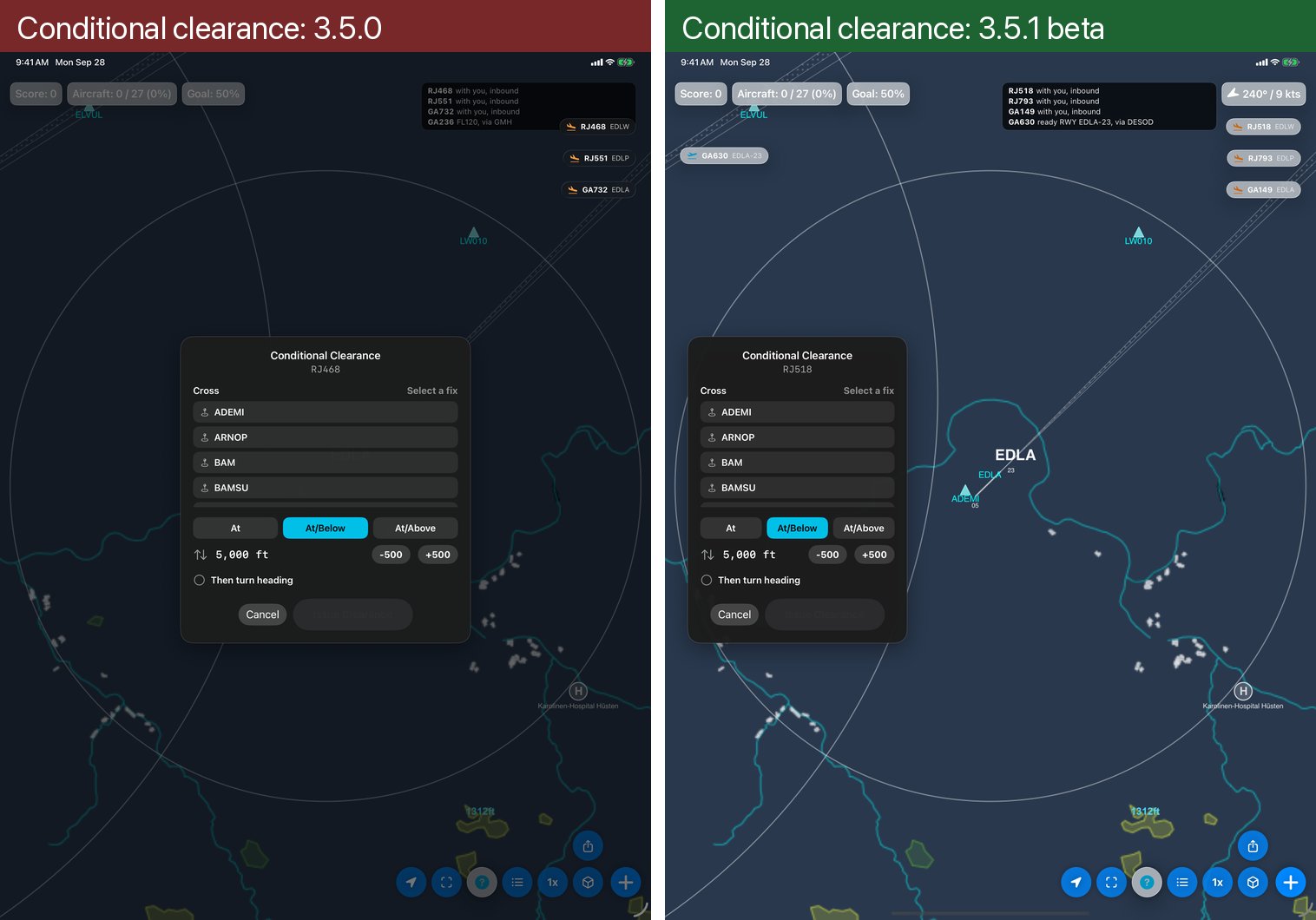
Conditional clearance. In 3.5.0 the card sat in the middle over a dimmed radar. In 3.5.1 the same card opens at the left edge with the radar in view.
Ships in 3.5.1, together with the completed German, Spanish, French and Italian translations.